HighLevel announced more than 300 releases at LevelUp Day on 27 October 2026. Most of them will not change how your business runs. A smaller group will: the platform can now start conversations on its own, reactivate a dead database in bulk, answer WhatsApp calls, and connect your CRM to outside tools through MCP. This is the working list, grouped by what it lets you actually do.
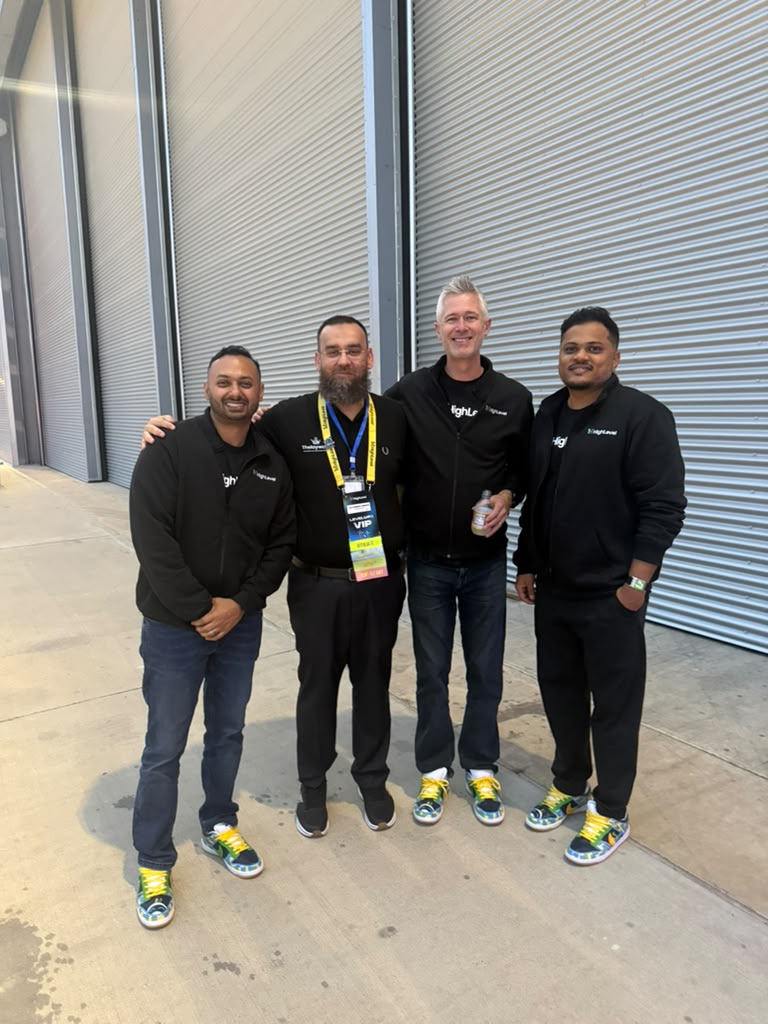
What is LevelUp Day 2026 and why does the release count matter less than it sounds?
LevelUp Day 2026 was HighLevel's annual release event, held on 27 October 2026, covering over 300 new features and enhancements across the platform. The headline number is large, but most of it is incremental: ecommerce product card styling, QR code colour pickers, media library tags, email template switchers.
The releases that matter for a business running lead follow-up fall into four groups. AI agents that act without being prompted. Bulk outreach to contacts you already own. New channels, particularly WhatsApp. And MCP — the protocol that lets your CRM talk to tools outside it.
HighLevel has described this year's releases as a shift toward autonomous and interconnected systems, turning records into operational workspaces and embedding generative AI into the site and app layer. That framing is marketing language, but the underlying direction is real: the platform moved from waiting for a trigger to initiating work on its own.
One practical note before anything else. A significant share of what was announced sits in Private Beta or Limited Beta, and several features require a toggle in Labs before they appear. Treat the announcement as a roadmap with dates attached, not a list of things you can switch on this afternoon.
Can AI agents now start conversations instead of only replying?
Yes. Conversation AI agents can now initiate outbound conversations based on CRM triggers such as form submissions, missed calls or deal stage changes. The agent drafts a personalised opening message from the customer's context and follows up on a set schedule, using scenarios that pause or pivot depending on how the contact replies.
This is the single most significant change in the release for anyone doing lead follow-up. Until now, a Conversation AI agent was a responder: a lead had to message first. The agent sat idle between a form fill and the moment someone happened to reply. That gap is where leads go cold, and it is the gap our 60-second callback rule exists to close.
Setup runs through a Labs toggle called Conversations AI - Outbound, then an Auto-Pilot agent configured with a prompt, an outbound opening message and auto follow-up settings. The Deploy tab handles the sending number, SMS compliance and the triggers that activate it. The compliance step is not optional and not decorative — outbound automated messaging carries real consent obligations, and the configuration screen is where you record that you have met them.
Alongside this, agents gained the ability to wait. Managed Agents can now pause execution for minutes, hours or days and resume with full conversational context, scheduling follow-ups around appointments and adjusting automatically if an appointment moves or cancels. HighLevel states that no billing accrues during the wait period. In practice this means a follow-up sequence no longer needs to live in a separate workflow with its own branching — the agent holds the thread.
What does AI Campaigns change about reactivating an old database?
AI Campaigns lets you launch bulk AI outreach against old leads, past customers or stalled deals using a Conversation AI agent. You select a segment or Smart List, choose a send mode — immediate, scheduled or drip — and the agent handles the personalised opening and the follow-ups. When a contact replies, the agent moves into a live conversation to handle objections and book the appointment.
This is database reactivation as a native platform feature rather than something you assemble from workflows, SMS actions and wait steps. It matters because most businesses are sitting on the asset. Aged leads in a CRM are already paid for; they were acquired, they went quiet, and nobody has hours to work them by hand.
The operational detail worth noting is the handover. The agent is not just blasting a list — it stays in the thread when someone responds. That is the difference between a bulk SMS send and a reactivation campaign. A send gets replies you then have to staff. A campaign qualifies and books.
Two setup requirements apply. The Conversations AI - Outbound toggle in Labs must be on, and an Auto-Pilot agent must be configured with a designated sending number and compliance confirmation. From there the campaign launches from Contacts, or from the bulk actions bar on a selected set.
If you are weighing this against other follow-up channels, the economics are the same ones laid out in our comparison of SMS, email and cold calling. What changed is the execution cost, not the channel maths.
Which Voice AI changes affect a live deployment?
Four releases change how a voice agent runs in production: WhatsApp calling, version control, MCP tool access, and agent health monitoring.
WhatsApp calls. Voice AI agents can now answer incoming WhatsApp calls, either as the primary receiver or as a fallback when the team is unavailable. Individual WhatsApp numbers can be set to ring the team only, route straight to Voice AI, or ring the team first and transfer to the agent after a wait. For any business whose customers already message on WhatsApp, this removes a channel gap that previously required a separate number.
Versioning and draft testing. Voice AI agents now support version control: you can edit and test changes in a draft environment while live callers stay on the published version, compare prompt and configuration differences, and publish or roll back in one click. Anyone who has edited a live agent prompt and then waited to find out what broke will recognise why this matters. It requires enabling Agent Versioning in Labs.
MCP connectors. Speech-to-speech Voice AI agents can use tools from connected apps — Google Calendar, Stripe or a custom MCP server — live during a call. You define when the agent should call each tool and can inspect tool call statuses in test transcripts.
Agent health and self healing. A new Agent Health dashboard evaluates recent real calls and chats for Voice and Conversations AI agents, recording health verdicts and accuracy trends on a schedule. Where an agent needs attention, a Self Healing feature uses the Prompt Optimizer to build and test an improved prompt, then presents the test results and a prompt diff for review before anything is applied. The review step is the important part — it is assisted improvement, not silent rewriting.
What is MCP and why does it appear across so many of these releases?
MCP — the Model Context Protocol — lets an AI assistant read from and write to a system in plain language, through a defined set of tools rather than custom code for each integration. At LevelUp 2026 it showed up in four places at once, which tells you where the platform is heading.
| Where MCP landed |
What it does |
Status |
| Conversation AI: MCP server support |
Bots execute external tools mid-conversation; over 40 catalog apps or custom MCP URLs |
Labs toggle |
| Voice AI: MCP connector |
Speech-to-speech agents call tools live during a conversation |
Available |
| Project Management: MCP integration |
Connect Claude, Cursor or similar clients directly to projects over a hosted endpoint |
Private Beta |
| Managed Agents: Computer capabilities |
Agents browse websites, manage files and run terminal scripts, with approval gates |
Available |
The Project Management integration is the clearest illustration. Once connected through OAuth, you manage tasks, lists, comments and custom statuses from inside your AI client using natural language — no local VPN setup, no separate interface. The CRM stops being a place you log into and becomes a system other tools can operate.
That separation is the structural story. We wrote about where it leads in our piece on what you actually own when you rent an AI agent — when the interface and the data decouple, the question of who controls which layer stops being academic.
The Managed Agents computer environment deserves a specific note on safety. Agents can browse, manage files and execute scripts, but the system requires explicit authorisation before submitting forms, making payments, publishing content or exporting workspace data. Those approval gates are configured under Capabilities, and they are the control you want set deliberately rather than left at whatever the default is.
What changed in Workflows and automation?
Three additions are worth setting up regardless of what else you adopt.
A/B testing. Workflows now support splitting contacts across up to 10 paths and measuring performance against a conversion goal. You define the winning criteria using email activity, appointments, tags or payments, and new contacts route to the winning path once the test concludes. Most automation never gets tested because testing meant duplicating a workflow and comparing by hand. This removes that excuse.
Workflow Maps. A new view shows a contact's journey across workflows, surfaces errors for troubleshooting, displays linked workflows together on one canvas, and includes an AI assistant for understanding and managing automations. If you have ever inherited an account with forty workflows and no documentation, this is the feature that pays for itself first.
New triggers. Workflows gained Google Sheets triggers that fire on new and updated rows, five new Slack triggers, and Social Planner triggers covering post approvals, rejections, scheduling, publishing and publishing failures. There is also an Association created trigger, and a private beta for creating, publishing and monitoring workflows by API.
Separately, Custom Fields gained calculated fields in private beta — a field type that computes values from existing CRM data using mathematical, text, date and logical functions, including time between dates. These are read-only, update when source data changes, and work as columns or filters in Smart Lists across Contacts, Opportunities and Custom Objects. For anyone who has been maintaining a derived value through a workflow, this replaces the workaround.
Is there anything here for compliance and deliverability?
Two releases, and both address problems that cost money quietly.
The Agency Trust Center gives agency owners and admins a single dashboard for A2P 10DLC registrations across all sub-accounts. You can monitor registration health, see common rejection reasons, and fix and resubmit rejected Brands and Campaigns without logging into each sub-account individually. New Brand registrations can also be started from the agency level. For anyone managing messaging compliance across multiple clients, this collapses a recurring administrative drag.
On email, automated domain warm-up arrived for dedicated sending domains in the LC Email System. The platform creates synthetic mailboxes, ramps daily sending volume gradually using threaded conversations, marks messages as important, rescues them from spam, and reports a domain health score. It requires a verified dedicated domain and an issued SSL certificate. A pre-send spam check also now evaluates both sender configuration and email content before a campaign goes out, returning a severity assessment and recommendations.
Neither of these removes the obligation to get consent right. They reduce the operational cost of staying compliant and delivered, which is a different thing.
What does the AI Search Visibility scoring tell you?
Marketing Audit Reports gained an AI Search Visibility section that scores a business out of 100 on how effectively AI assistants such as ChatGPT and Claude can find, read and act on its information. The score covers local presence consistency, crawler accessibility, schema markup readability, and agent readiness for tasks like form submissions, and returns a prioritised list of fixes.
This is worth paying attention to beyond the prospecting use case, because of what it implies. A major CRM platform has built scoring for whether AI assistants can read your business — which means enough buyers are now asking assistants for recommendations that platforms are tooling for it. The criteria it scores on are the same ones that decide whether an answer engine cites you: consistent details across sources, structured data, and content an assistant can quote cleanly.
HighLevel also lists a separate AI & Search Visibility product in private beta, with its own sign-up. If AI visibility is on your roadmap, both are worth watching.
Which of these should you act on first?
Order them by what is already costing you money.
- If you have an aged database you have never worked: AI Campaigns. The contacts are paid for and the execution cost just dropped.
- If leads go cold between form fill and first contact: Outbound Conversation AI agents, with the compliance configuration done properly at setup.
- If customers message you on WhatsApp: Voice AI WhatsApp integration, plus the WhatsApp template library and native forms within flows.
- If you are editing live agent prompts: Voice AI versioning, before you break something during business hours.
- If you have inherited or accumulated automation: Workflow Maps, to find out what you actually have.
- If you manage sub-accounts: Agency Trust Center for A2P, and bulk Reviews AI management.
Everything else can wait for the feature to leave beta and for the help documentation to catch up. The post itself notes that it will be updated with more detail and support links as they are published, which is a fair signal that some of this is still settling.
Where should you start?
The releases that change outcomes are the ones that let the system act without being asked: outbound agents, bulk reactivation, and agents that can hold a thread across days. Everything else is the platform catching up with itself.
Setting these up well is mostly a question of configuration judgement — which triggers, what the agent is allowed to do, where a human takes over, and how consent is recorded before a single message goes out. We build and configure these systems for businesses that would rather own the setup than rent it indefinitely. Book a call and we will look at which of these releases fit what you are already running.
Common questions
When was LevelUp Day 2026 and how many features were released?
LevelUp Day 2026 took place on 27 October 2026. HighLevel announced more than 300 new releases and enhancements across the platform, spanning AI agents, workflows, ecommerce, client portals, communications and CRM objects.
Can HighLevel AI agents now contact leads first?
Yes. Conversation AI agents can initiate outbound conversations from CRM triggers such as form submissions, missed calls or deal stage changes. The agent drafts a personalised opening message and follows up on a schedule, pausing or pivoting based on the reply.
What is AI Campaigns used for?
AI Campaigns runs bulk AI outreach to old leads, past customers or stalled deals using a Conversation AI agent. You pick a segment or Smart List and a send mode, and the agent handles outreach, follow-ups and the live conversation when someone replies.
Can Voice AI agents answer WhatsApp calls?
Yes. Voice AI agents can answer incoming WhatsApp calls as the primary receiver or as a fallback. Each WhatsApp number can be set to ring the team only, route straight to the agent, or ring the team first and transfer after a wait.
How much of LevelUp 2026 is available right now?
A substantial portion sits in Private Beta or Limited Beta, and several features require enabling a toggle in Labs first. Check the status of each feature before planning work around it, as availability varies by release.
What is MCP in the context of HighLevel?
MCP is the Model Context Protocol, which lets AI assistants read and write to a system through defined tools rather than custom integrations. HighLevel added MCP support to Conversation AI, Voice AI, Project Management and Managed Agents.